Mobile Ansicht zuerst
Die Android-Version ist für Menschen, die PCB-Daten auf Telefon oder Tablet für Engineering-Review, Feldkommunikation, Fertigungsprüfung oder Problemdiskussion öffnen müssen.
PCB-Viewer für Android
Offizielle PCBAtlas-APK für Android herunterladen. KiCad, ODB++, IPC-2581 und erkannte Gerber/Drill-Pakete lokal auf Smartphone oder Tablet ansehen.
Die APK wird über das Download-Gate der Website ausgegeben; Prüfdateien sind öffentlich.
PCB-Viewer für Android
Nutzen Sie Android-Smartphone oder -Tablet für Vor-Ort-Prüfungen, Revisionsfreigaben und Fertigungsabstimmungen.
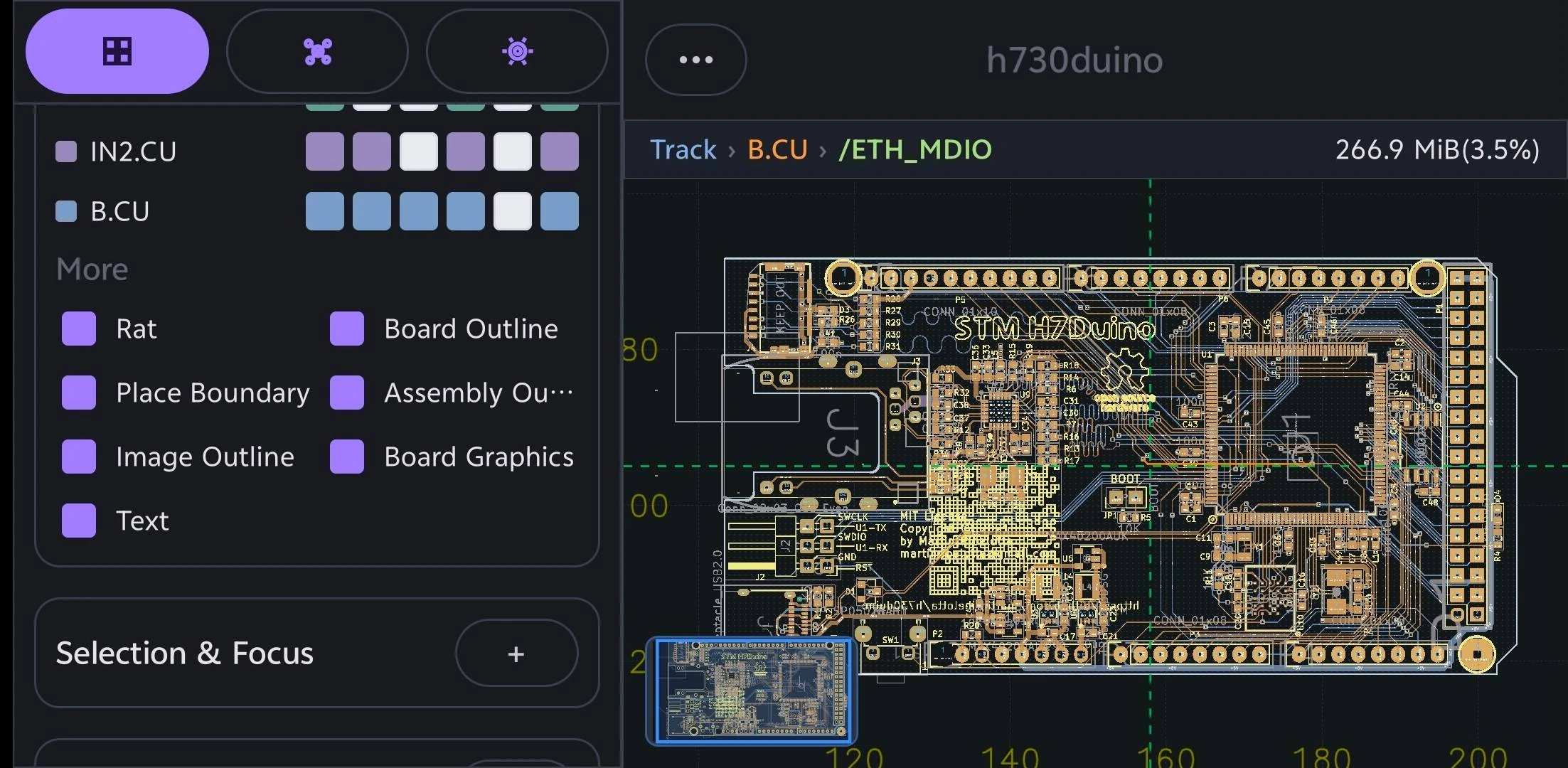
Die Android-Version ist für Menschen, die PCB-Daten auf Telefon oder Tablet für Engineering-Review, Feldkommunikation, Fertigungsprüfung oder Problemdiskussion öffnen müssen.
PCBAtlas-Importpfade decken KiCad, DSN, ODB++, IPC-2581 XML und erkannte Fertigungspaketordner ab.
PCBAtlas ist kein PCB-Layout-Editor. Es ist für Ansicht, Organisation, Prüfung, Review und Lieferung positioniert.
Wählen Sie einen Leitfaden nach Gerät oder Dateiformat, um unterstützte Eingaben, Prüffunktionen und Einsatzgrenzen zu sehen.
Öffnen und prüfen Sie KiCad-Projekte (.kicad_pro), Schaltpläne (.kicad_sch) und Platinen (.kicad_pcb) lokal auf Android-Smartphone oder -Tablet.
Öffnen und prüfen Sie vollständige ODB++-PCB-Fertigungsarchive oder -verzeichnisse lokal auf Android-Smartphone oder -Tablet.
Öffnen und prüfen Sie IPC-2581-XML-Dateien lokal auf Android-Smartphone oder -Tablet.
Öffnen und prüfen Sie erkannte Gerber- und Excellon-Drill-Fertigungsordner oder -archive lokal auf Android-Smartphone oder -Tablet.
d0682b888afa54ca73b12ab36d18d16dea07189072006ec94241b284929a77865709EC9A7CF57AE2649056F2144FBDA7AA2B37024D7801E550F9A219047B51E1Versionsverlauf
Wichtige sichtbare Änderungen in jeder PCBAtlas-Android-Version. Die Versionshinweise werden auf Englisch veröffentlicht.