Primero la visualización móvil
La versión Android es para quienes necesitan abrir datos PCB en un teléfono o tablet para revisión, comunicación de campo, comprobaciones de fabricación o discusión de incidencias.
Visor PCB para Android
Descarga el APK oficial de PCBAtlas para Android. Visualiza KiCad, ODB++, IPC-2581 y paquetes Gerber/Drill reconocidos localmente en móvil o tablet.
El APK se entrega mediante la puerta de descarga del sitio; los archivos de verificación son públicos para comprobar el origen de la compilación.
Visor PCB para Android
Usa un teléfono o una tableta Android para comprobaciones de campo, confirmación de revisiones y conversaciones de fabricación.
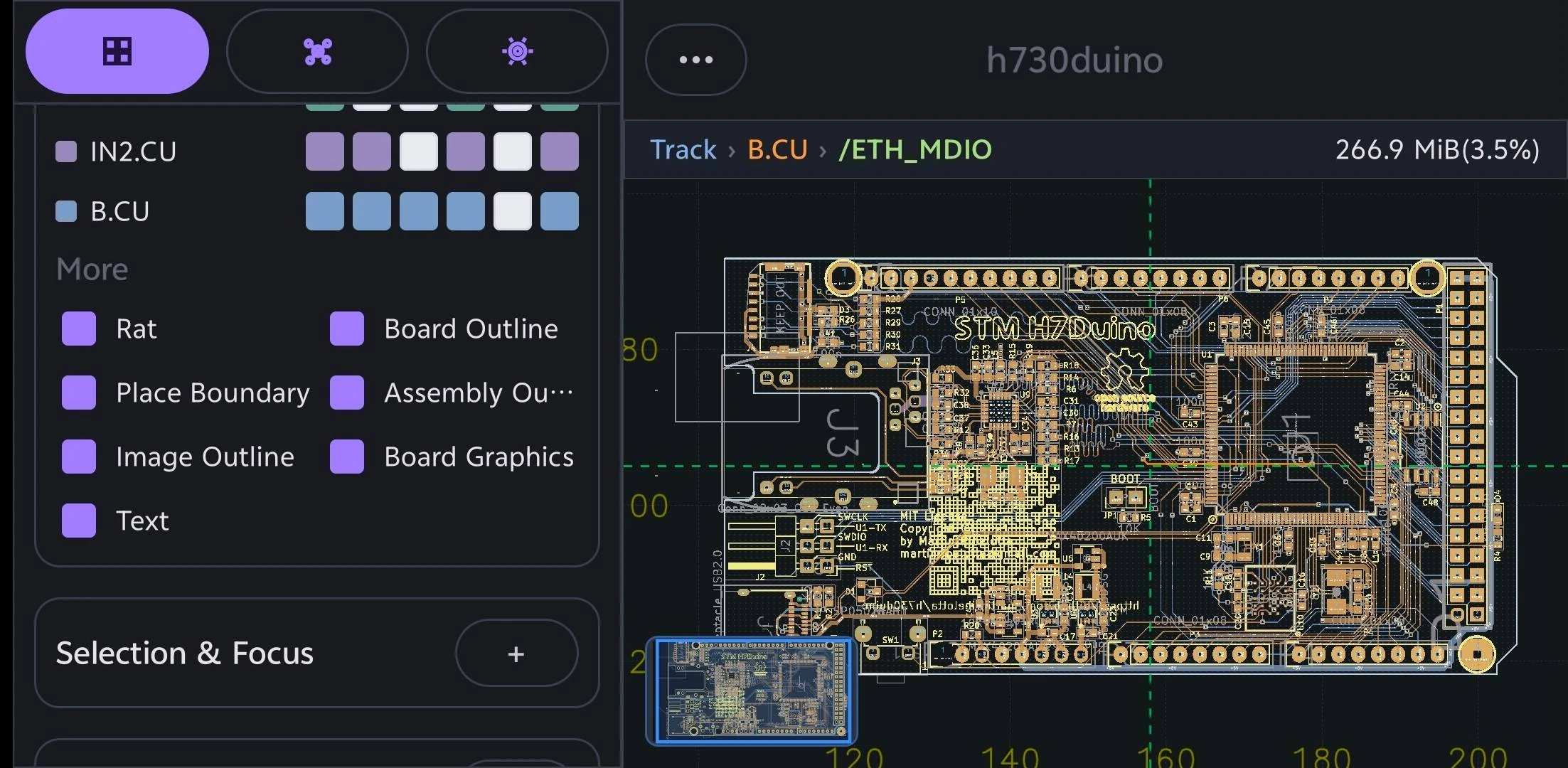
La versión Android es para quienes necesitan abrir datos PCB en un teléfono o tablet para revisión, comunicación de campo, comprobaciones de fabricación o discusión de incidencias.
Las rutas de importación cubren KiCad, DSN, ODB++, IPC-2581 XML y carpetas de fabricación reconocidas.
PCBAtlas no es un editor de layout PCB. Está posicionado para visualizar, organizar, inspeccionar, revisar y entregar.
Elige una guía por dispositivo o formato de archivo para revisar entradas compatibles, capacidades de inspección y límites de uso.
Abre y revisa proyectos .kicad_pro, esquemas .kicad_sch y placas .kicad_pcb de KiCad localmente en teléfono o tablet Android.
Abre y revisa archivos o directorios completos de fabricación PCB ODB++ localmente en teléfono o tablet Android.
Abre y revisa archivos XML IPC-2581 localmente en teléfono o tablet Android.
Abre y revisa carpetas o archivos de fabricación Gerber y Excellon Drill reconocidos localmente en teléfono o tablet Android.
d0682b888afa54ca73b12ab36d18d16dea07189072006ec94241b284929a77865709EC9A7CF57AE2649056F2144FBDA7AA2B37024D7801E550F9A219047B51E1Historial de versiones
Cambios importantes visibles para el usuario en cada versión de PCBAtlas Android. Las notas se publican en inglés.