Priorité à la visualisation mobile
La version Android vise les personnes qui doivent ouvrir des données PCB sur téléphone ou tablette pour revue, communication terrain, contrôles fabrication et discussion d'incidents.
Visualiseur PCB Android
Téléchargez l’APK officiel de PCBAtlas pour Android. Consultez KiCad, ODB++, IPC-2581 et les archives Gerber/Drill reconnues en local sur mobile ou tablette.
L’APK est fourni via le portail de téléchargement du site ; les fichiers de vérification sont publics pour permettre de contrôler l’origine de la version.
Visualiseur PCB Android
Utilisez un téléphone ou une tablette Android pour les contrôles terrain, la confirmation des révisions et les échanges de fabrication.
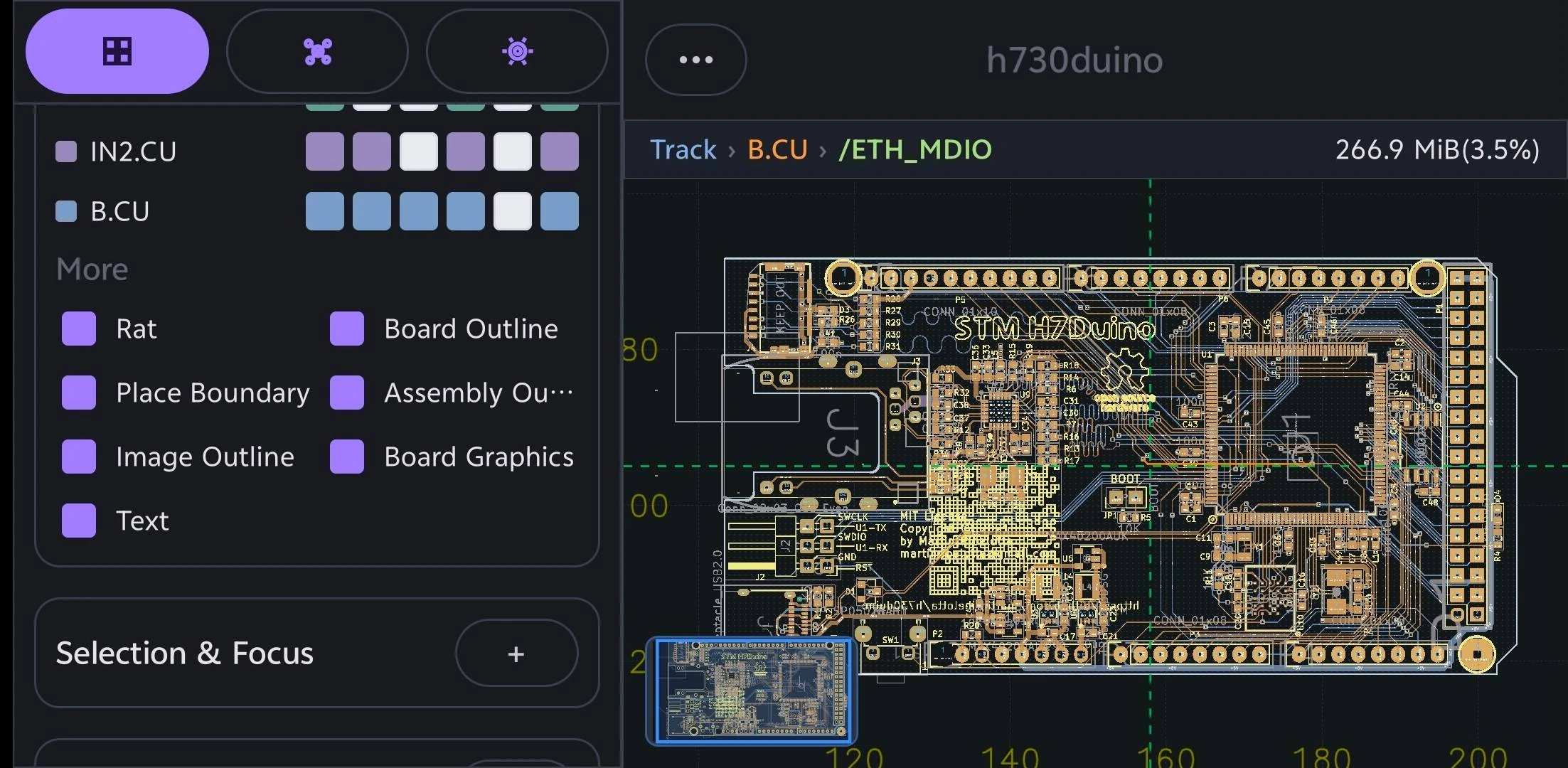
La version Android vise les personnes qui doivent ouvrir des données PCB sur téléphone ou tablette pour revue, communication terrain, contrôles fabrication et discussion d'incidents.
Les chemins d'import couvrent KiCad, DSN, ODB++, IPC-2581 XML et les dossiers de fabrication reconnus.
PCBAtlas n'est pas un éditeur de layout PCB. Il est positionné pour visualiser, organiser, inspecter, réviser et livrer.
Choisissez un guide par appareil ou format de fichier pour voir les entrées prises en charge, les capacités de revue et les limites d’usage.
Ouvrez et examinez projets .kicad_pro, schémas .kicad_sch et cartes .kicad_pcb KiCad localement sur téléphone ou tablette Android.
Ouvrez et examinez archives ou répertoires complets de fabrication PCB ODB++ localement sur téléphone ou tablette Android.
Ouvrez et examinez fichiers XML IPC-2581 localement sur téléphone ou tablette Android.
Ouvrez et examinez dossiers ou archives de fabrication Gerber et Excellon Drill reconnus localement sur téléphone ou tablette Android.
d0682b888afa54ca73b12ab36d18d16dea07189072006ec94241b284929a77865709EC9A7CF57AE2649056F2144FBDA7AA2B37024D7801E550F9A219047B51E1Historique des versions
Principales modifications visibles par l’utilisateur dans chaque version de PCBAtlas Android. Les notes sont publiées en anglais.