Instal langsung Android

Unduh PCBAtlas Android APK

Ketuk tombol unduh di ponsel atau tablet Android. Setelah APK selesai diunduh, Android akan meminta konfirmasi instalasi.

APK dikirim melalui gerbang unduhan situs; file verifikasi tersedia publik agar sumber build dapat diperiksa.

Instal di Android

  1. Ketuk tombol unduh dan tunggu APK selesai.
  2. Buka APK yang diunduh lalu ikuti prompt instalasi Android.
  3. Jika diminta izin unknown apps, izinkan hanya untuk browser yang dipakai.

File verifikasi

SHA-256
c1f1b3e45d27b9e283317923fa40e214f0e8e885e762718ced563aab187f2d86
Sertifikat penanda tangan SHA-256
5709EC9A7CF57AE2649056F2144FBDA7AA2B37024D7801E550F9A219047B51E1

Riwayat rilis

Yang baru di Android

Perubahan penting yang terlihat pengguna pada setiap rilis PCBAtlas Android. Catatan rilis tersedia dalam bahasa Inggris.

1.1.2 (25)

  • Added iOS-aligned split PCB and schematic project viewing with responsive two-way cross-probing, including component and pin jumps, synchronized highlights, and selection clearing on empty or unrelated taps.
  • Improved schematic interaction with larger pick targets, immediate selection feedback, world-scaled labels, consistent multi-pin highlighting, and more contextual navigation framing around focused items.
  • Stabilized project opening and background preparation with visible status feedback, retained viewer surfaces, document-scoped sheet and workspace state, and safe handoff when project sessions are rebuilt.
  • Fixed slow or failed PCB and schematic jumps and lifecycle crashes caused by concurrent native session release, while preserving fast picking on large projects.
  • Updated project and import behavior to the current iOS contract, including packaged preset libraries, import recovery disclosure, and more reliable KiCad, IPC-2581, DSN, and ODB++ workflows.

1.1.1 (24)

  • Corrected oversized drilled holes in ODB++ boards by preserving the diameter declared by implicit drill features, including dense via-in-pad arrays.

1.1.1 (23)

  • Added iOS-aligned in-place KiCad PCB editing with Slide, via movement, track-width and removal actions, undo, and direct saving to the current library revision.
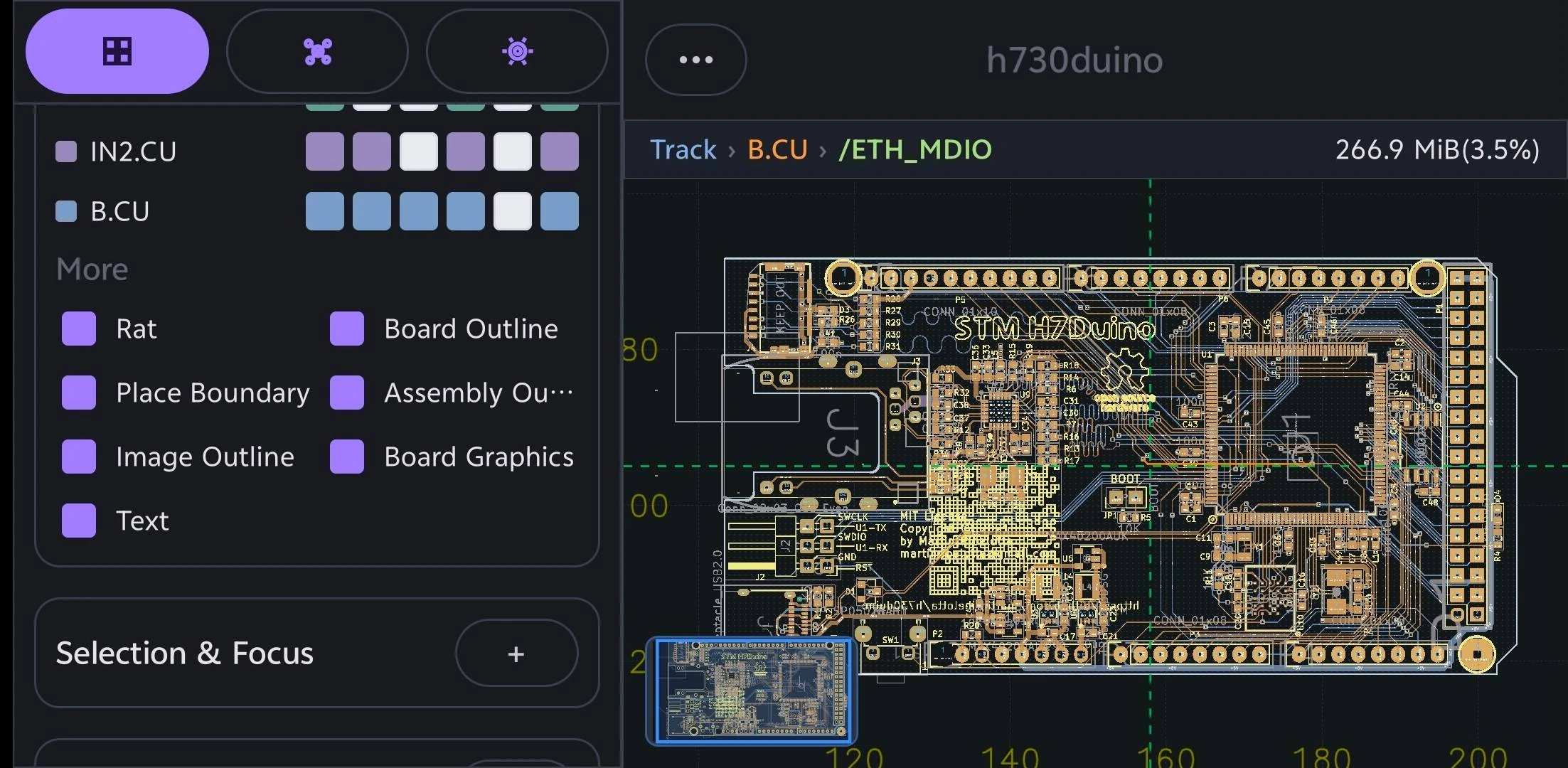
  • Redesigned the 2D Viewer around the floating toolbar and top mini viewer, with an immediate blue Slide preview and one-checkmark commit flow.
  • Refined object information and Selection Filter panels with compact sizing, clearer guidance, direct candidate access, and copy actions.
  • Fixed stale selection and provenance failures that could reject Trace or Segment edits or crash during Slide acceptance.
  • Marked unsaved documents with an asterisk and preserved existing Gallery thumbnails unchanged when saving edits.

1.1.1 (22)

  • Improved Import Folder reliability for older KiCad projects, including stale schematic references, case-mismatched model paths, and missing optional 3D assets that no longer block 2D opening.
  • Accelerated large project-folder staging and managed-source persistence, with demanding CIAA and VME projects completing within the 30-second physical-device acceptance target.

1.1.1 (21)

  • Improved managed DRC with on-demand execution, persisted results, startup recovery, and clearer localized status.
  • Accelerated large-board opening and first interaction, including CIAA, while preserving DRC state and reusing pick data as the canvas moves.
  • Refined 2D Vulkan rendering to follow current iOS visibility, density, tiling, and CAD-stroke text behavior for clearer labels and steadier zoom and pan presentation.
  • Corrected selection highlighting so pads and vias retain holes and text, while selected traces use the iOS orange blend without covering labels.

1.1.0 (20)

  • Added the iOS-aligned live DRC workflow with progress reporting, display controls, and Vulkan-rendered markers that remain visible while panning or zooming the board.
  • Added managed Board Diff and Project Overview workflows, including saved comparisons, stable exports, and revision-aware project information.
  • Improved CIAA and other large-board imports with faster native processing, coalesced progress delivery, an elapsed-time indicator, and immediate viewer interaction while background preparation continues.
  • Corrected filled-area rendering, segment-specific selection emphasis, default layer visibility, and PCB-only workspace navigation so standalone boards no longer expose an empty Project page.
  • Updated the bundled preset library and golden import coverage, including current KiCad project packages and the H730 ODB++ archive.
  • Aligned viewer background status messages and related terminology across all supported Android languages.

1.0.9 (19)

  • Fixed DSN export for large boards, including the `video` board, so export completes reliably instead of stalling during copper-plane processing.
  • Preserved adjacent KiCad project files when importing and reopening `.kicad_pcb` boards, keeping project-backed exports and shares intact.
  • Fixed the 3D viewer so the green physical board body remains visible independently of copper-layer visibility filters.

1.0.9 (18)

  • Aligned the board library and native bridge with the current iOS PcbCore data contracts, including validated KiCad project packages that can be reopened, reimported, and shared as portable ZIPs.
  • Updated bundled preset handling to the iOS preset-library v2 archive and directory format with package integrity checks, while improving board revisions and project import/export metadata.
  • Kept Viewer selection and compact 2D/3D scene data synchronized with edited track and via topology, and aligned schematic Workbench and manufacturing export bridge behavior with the current engine.
  • Removed the obsolete SES base-revision import action from the Gallery.

1.0.8 (17)

  • Fixed an issue that could prevent the 3D viewer from opening.
  • Improved the reliability of board edits, previews, and undo and redo.

1.0.7 (16)

  • Improved first-time project and archive imports, including reliable ZIP-based ODB++ loading and stable first-frame display without a temporary black canvas.
  • Refined the Gallery to match PCBAtlas on iOS with a true Empty Project action, compact project titles, complete format badges, better-framed thumbnails, and update checking in the top toolbar.
  • Fixed 2D line-width scaling and improved canvas lifecycle, camera restoration, gesture handling, and thumbnail capture.
  • Improved the 3D viewer with an iOS-style view cube, board-centered rotation, and aligned pan and zoom gestures.
  • Aligned Viewer, schematic Workbench, Data, and AI page chrome across portrait and landscape while removing desktop-only menu actions from compact layouts.
  • Added version and build-time details in Settings plus a prefilled “Find a bug?” email action, with matching localized text across supported languages.

1.0.6 (15)

  • Added the in-app Device Test flow for repeatable 2D, 3D, Workbench, Data, display, selection, and export checks, with a shareable report.
  • Added converted board-file exports for DSN, KiCad PCB, and PCB Binary alongside the manufacturing export formats.

1.0.6 (14)

  • Fixed a release-build failure that prevented imported PCB cases from opening.
  • Added Geometry Review and assembly checking workflows, including Workbench integration and shareable review package export.
  • Expanded board and project import support to match PCBAtlas on iOS, including KiCad project-folder and archive inputs with stronger malformed-file protection.
  • Improved managed board revisions so revisions reopen and select reliably, unchanged revisions are ignored, and thumbnails recover correctly.
  • Improved viewer reliability across fresh surfaces, device rotation, prewarming, selection, and display filters.
  • Moved net-label visibility into Settings, with changes applied live in the viewer.
  • Improved 3D diagnostics and revision recovery.

1.0.5 (12)

  • Improved Settings search to include more settings, page links, and action buttons.
  • Added search support for the current interface language across all supported locales.
  • Reduced the Settings search field height to match the Highlight & Objects panel.
  • Fixed an ODB++ board display issue.
  • Clear temporary highlights when returning to the library so old selections do not appear when reopening a board.

1.0.4 (11)

  • Improved 2D viewer rendering, status information, and interactions.
  • Improved import and viewing performance for large boards and ODB++ packages.
  • Strengthened website APK packaging, signing, and security audits.
  • Removed Google Play Billing runtime components from website builds.

Earlier releases

  • Continued improvements to PCB, schematic, 3D, Workbench, Data, AI, and manufacturing export workflows.
  • Continued alignment with the iOS and macOS PCBAtlas interface, terminology, and behavior.