Visualização móvel primeiro
A versão Android é para quem precisa abrir dados PCB em telefone ou tablet para revisão de engenharia, comunicação em campo, checks de fabricação e discussão de problemas.
Visualizador PCB Android
Baixe o APK oficial do PCBAtlas para Android. Veja KiCad, ODB++, IPC-2581 e pacotes Gerber/Drill reconhecidos localmente no celular ou tablet.
O APK é entregue pelo portal de download do site; os arquivos de verificação são públicos para conferir a origem do build.
Visualizador PCB Android
Use um celular ou tablet Android para verificações em campo, confirmação de revisões e conversas de fabricação.
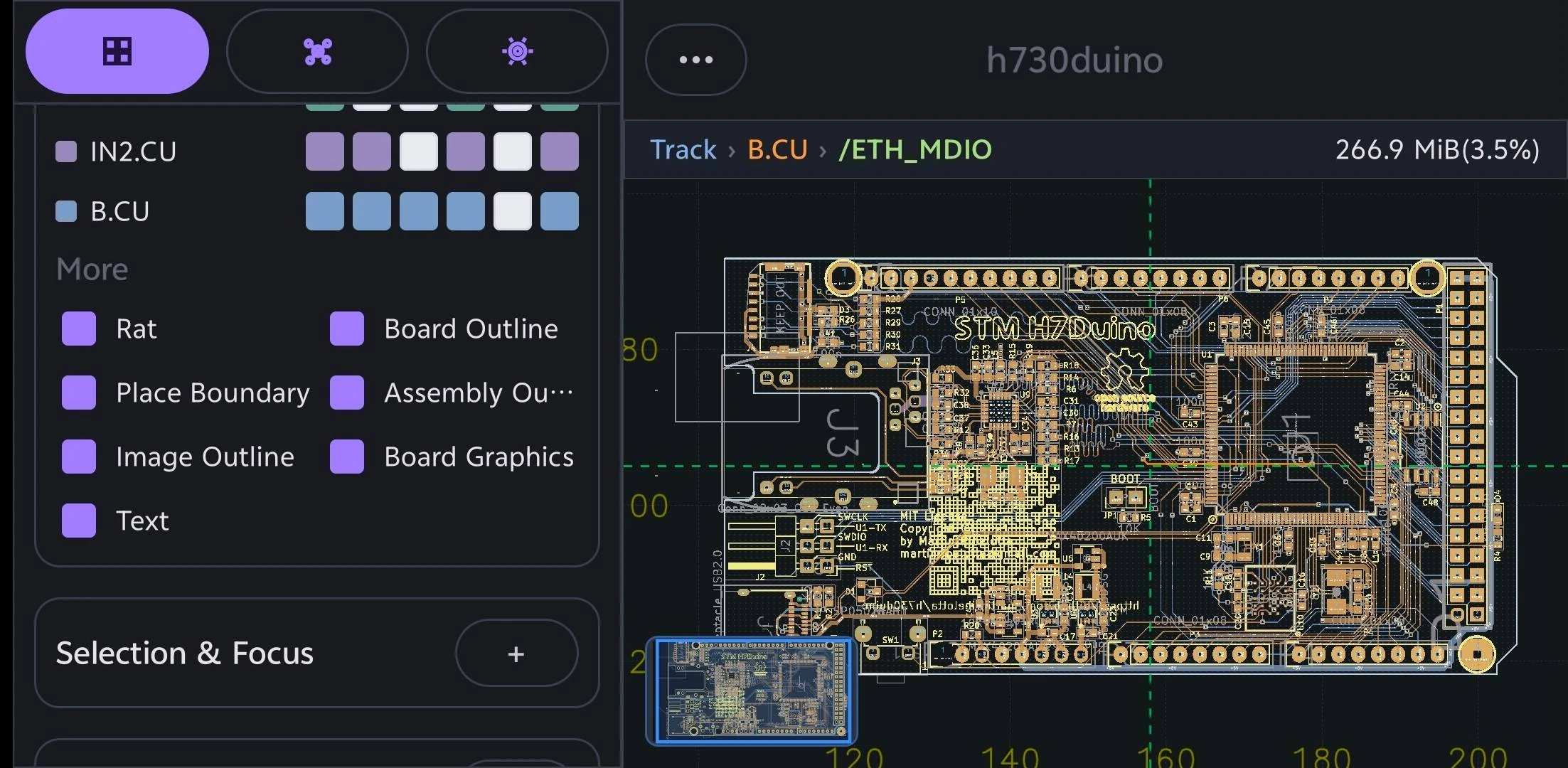
A versão Android é para quem precisa abrir dados PCB em telefone ou tablet para revisão de engenharia, comunicação em campo, checks de fabricação e discussão de problemas.
Os caminhos de importação cobrem KiCad, DSN, ODB++, IPC-2581 XML e pastas de fabricação reconhecidas.
PCBAtlas não é um editor de layout PCB. Ele é posicionado para visualizar, organizar, inspecionar, revisar e entregar.
Escolha um guia por dispositivo ou formato de arquivo para ver entradas compatíveis, recursos de revisão e limites de uso.
Abra e revise projetos .kicad_pro, esquemáticos .kicad_sch e placas .kicad_pcb do KiCad localmente em celular ou tablet Android.
Abra e revise arquivos ou diretórios completos de fabricação PCB ODB++ localmente em celular ou tablet Android.
Abra e revise arquivos XML IPC-2581 localmente em celular ou tablet Android.
Abra e revise pastas ou arquivos de fabricação Gerber e Excellon Drill reconhecidos localmente em celular ou tablet Android.
d0682b888afa54ca73b12ab36d18d16dea07189072006ec94241b284929a77865709EC9A7CF57AE2649056F2144FBDA7AA2B37024D7801E550F9A219047B51E1Histórico de versões
Principais mudanças visíveis ao usuário em cada versão do PCBAtlas Android. As notas são publicadas em inglês.