ODB++
10s
Open to viewer
520 MB
Pickable stable memory
- layers
- 103
- nets
- 1,401
- tracks
- 27,169
- pads + vias
- 39,143
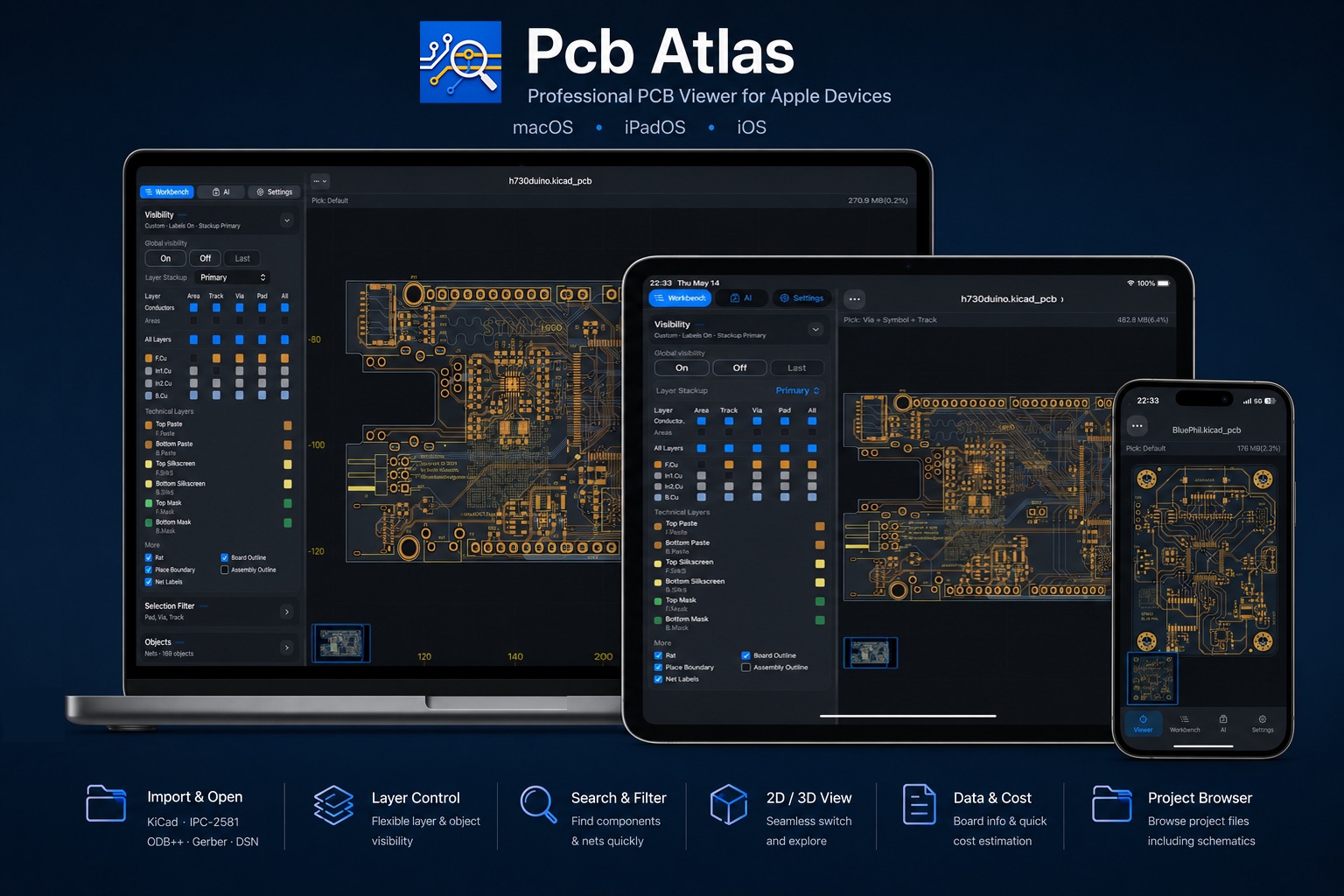
PCB viewer and local review workspace for mobile and desktop
Open supported KiCad projects, schematics, PCB files, DSN, IPC-2581, ODB++, and Gerber/Drill packages locally. Review in 2D, inspect board and revision information, keep revisions together, and open 3D when spatial context helps.
Apple App Store builds include free review and up to three user documents; Plus unlocks unlimited documents and licensed export/share features. The official Android Public Beta APK is fully unlocked and has no purchase flow. PCBAtlas is now available on the App Store. Android users can also download the official APK directly. iPhone and iPad require iOS/iPadOS 17.0 or later; Mac requires macOS 14 or later.
If your email app did not open, email us at pcbatlas@astroformsoftware.com
PCBAtlas
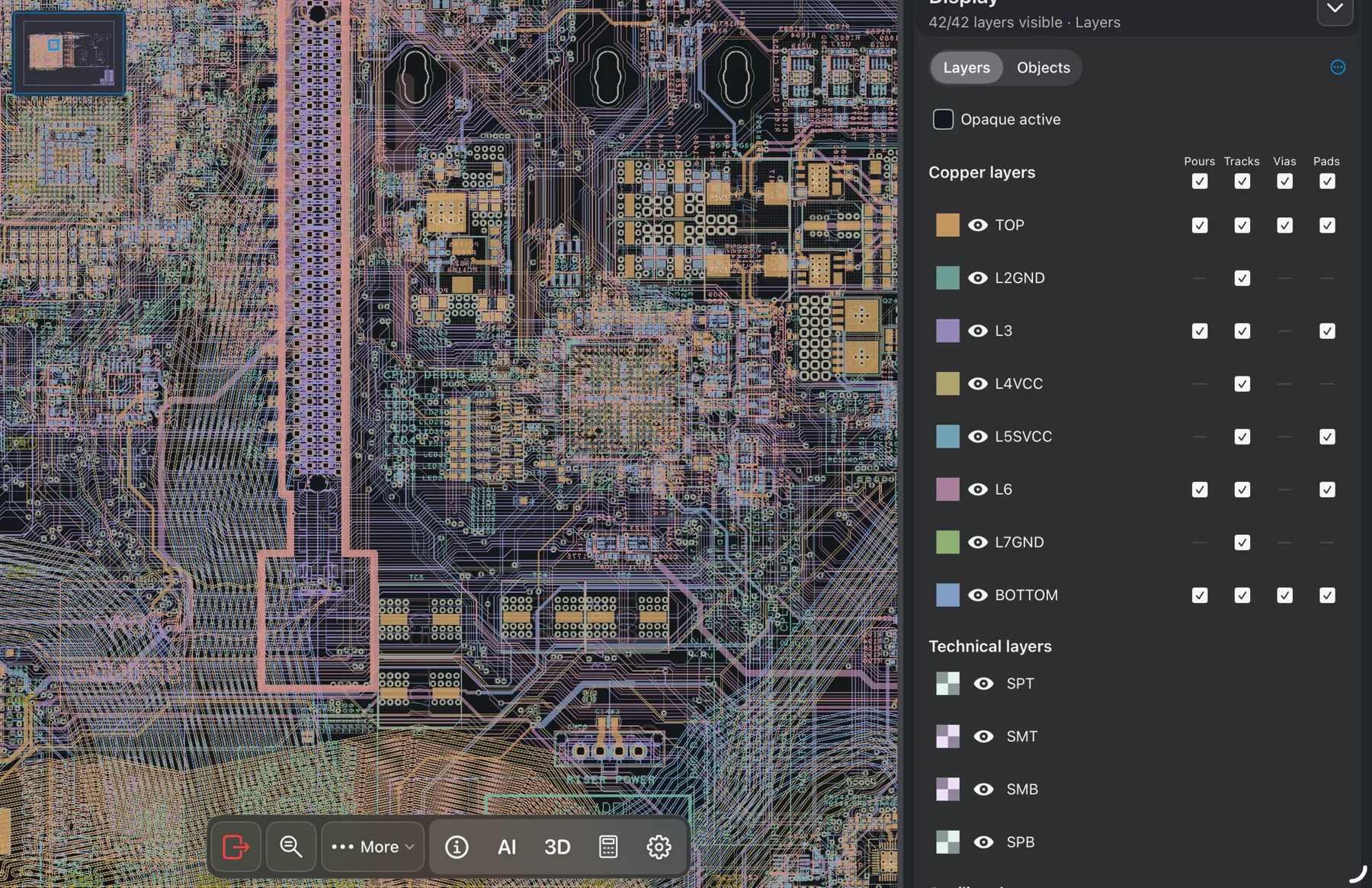
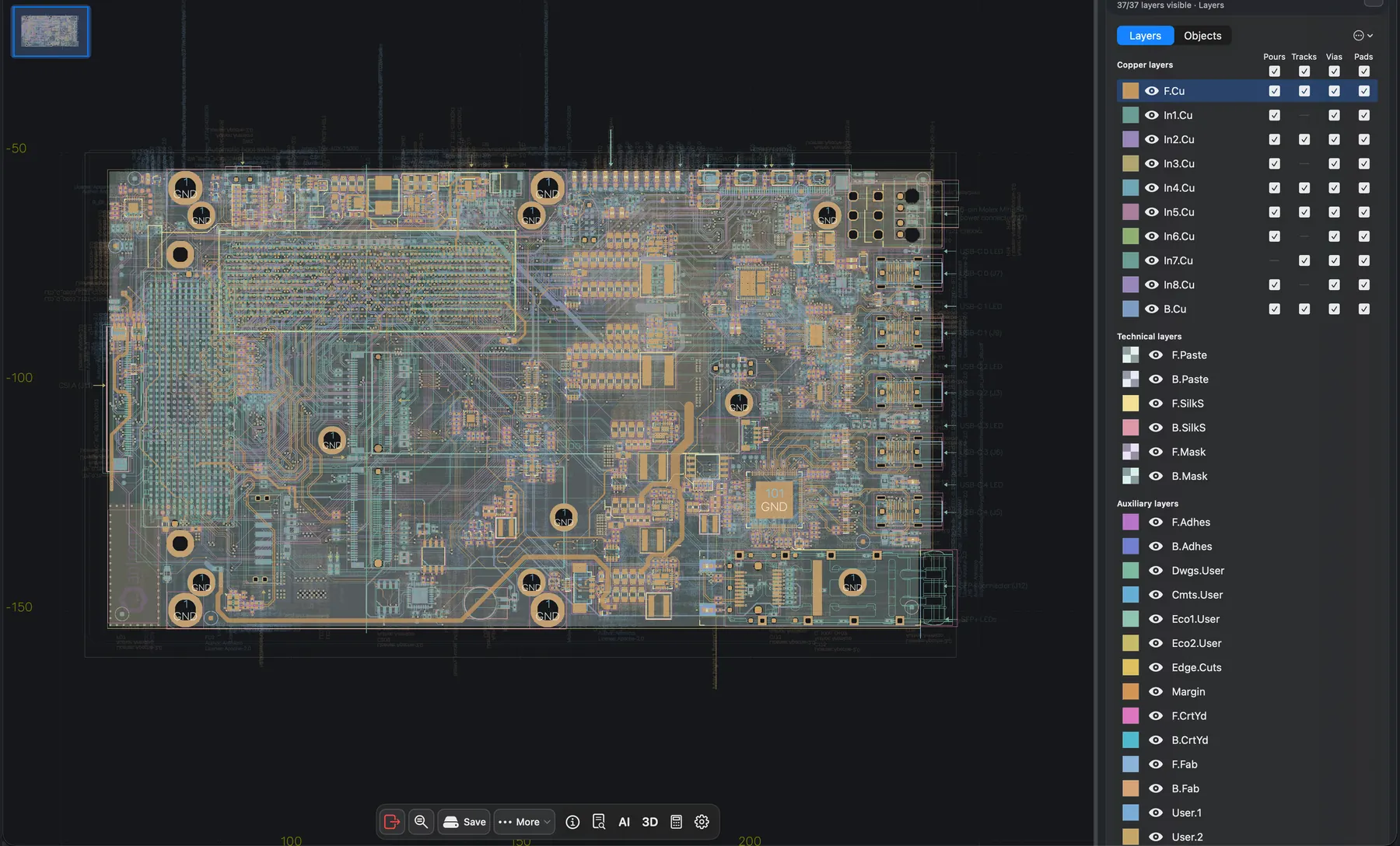
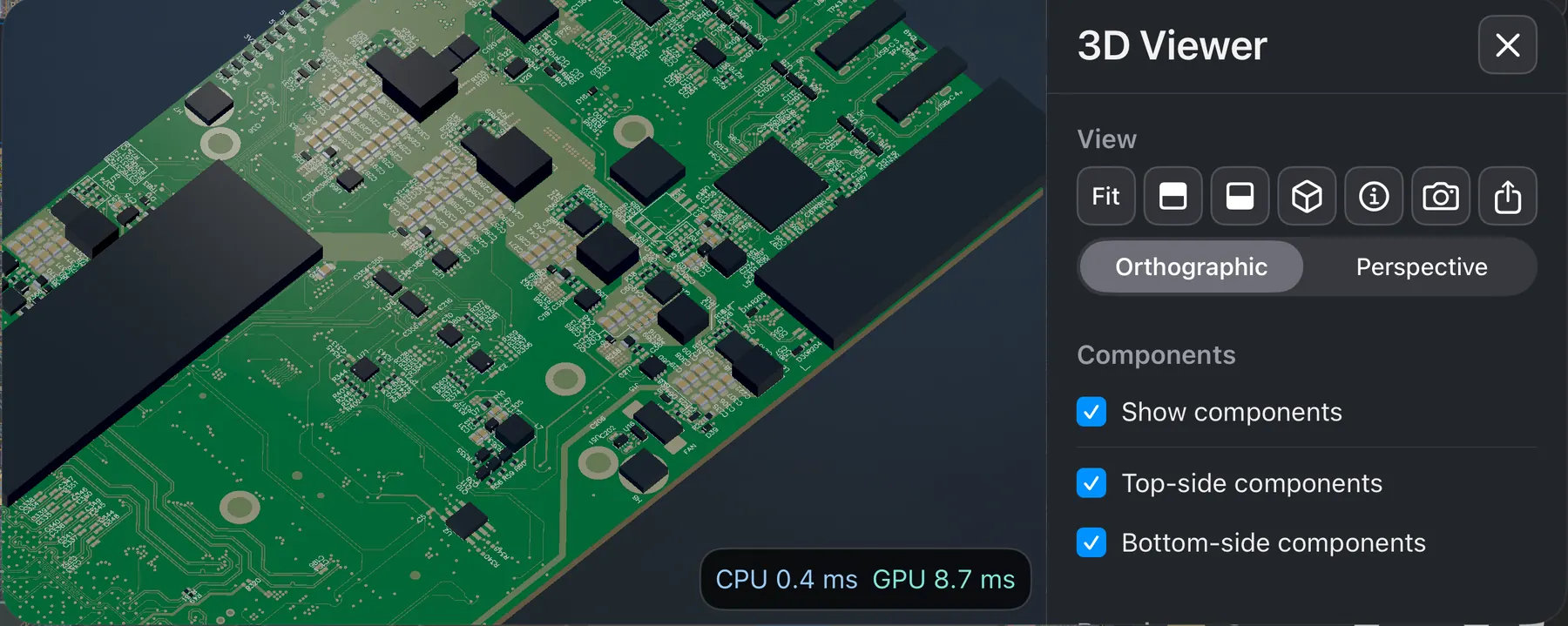
From dense routing to whole-board layers and 3D context. See real PCBAtlas workspaces on iPad, Mac, and iPhone.
PCBAtlas
PCBAtlas turns design and manufacturing data into reusable PCB workspaces with viewer surfaces, revision history, and delivery paths, instead of scattering every update across separate folders.
Open KiCad .kicad_pro projects, .kicad_sch schematics, .kicad_pcb boards, DSN, IPC-2581 XML, ODB++ archives or directories, and recognized manufacturing package folders on iPhone, iPad, Mac, or Android.
Append revisions, branch, or duplicate from the same workspace without losing the project thread.
Use 2D for inspection, Info for board and revision details, Estimate for local quotes, and 3D for spatial review on Apple platforms.
Apple App Store export/share actions may require Plus; use the purchase center to buy or restore the entitlement. The official Android Public Beta has no billing or purchase screen.
PCBAtlas
PCBAtlas is more than a format-name list with a viewer label. It is a local workspace shaped around PCB viewing, review, delivery, and issue communication.
Library
Store project revisions inside the same managed workspace so you can return to history, preserve context, and avoid loose-file sprawl.
2D
Designed around smooth zooming, panning, box select, object picking, and quick information lookup on real PCB data from your iPhone, iPad, Mac, or Android device.
Schematic
Open KiCad projects and schematics with sheet hierarchy, whole-project search, selection details, and canvas pick for symbols, pins, wires, and labels.
2D
Use visibility controls, object filters, and search to narrow down nets, pads, vias, footprints, and rule-related objects.
Board and revision information
On Apple platforms, Info holds board, document, revision, and diagnostic information; Estimate holds the current revision’s local manufacturing estimate.
board-level 3D
Open 3D for documents that form a board session and use Top, Bottom, Isometric, and Fit viewpoints to understand board-level structure.
3D requires valid board geometry. Component bodies are generated from footprint facts, with source and approximation details in Info. Missing optional model files remain source records; actual parsing failures and invalid stackups are reported. Estimated shapes are not mechanical certification.
PCBAtlas Plus
Apple App Store builds include free review and up to three user documents; Plus unlocks unlimited documents and licensed export/share features. The official Android Public Beta APK is fully unlocked and has no purchase flow.
PCBAtlas
This page summarizes the import, view, and delivery paths available in the current product.
Import paths available now.
Create a PCB document or append a revision; review in 2D and open 3D when the source provides the required board geometry.
Open supported schematics or complete KiCad projects with sheet navigation, object search, details, and canvas picking; linked sheets require their dependencies.
Supported as a design-side import; can create a workspace or append a revision.
Supports design-side and manufacturing-side input; import asks you to choose intent.
Supports manufacturing archives and directories.
Supported when the app recognizes the package structure.
SES is not a regular new-library import. Session or comparison operations require a verified base design; an advertised comparison capability does not imply a standalone import button.
Review surfaces available now.
Use 2D Export for board and manufacturing outputs. The 3D controls offer PNG capture and GLB export of visible meshes; GLB is not a manufacturing format.
On Apple platforms, Info holds board, document, revision, and diagnostic information; Estimate holds the current revision’s local manufacturing estimate.
3D requires valid board geometry. Component bodies are generated from footprint facts, with source and approximation details in Info. Missing optional model files remain source records; actual parsing failures and invalid stackups are reported. Estimated shapes are not mechanical certification.
Output paths available now.
2D review capture export.
2D review capture export.
Returns the managed project files for the current revision, including DSN, KiCad, IPC-2581, ODB++, and Gerber / Drill sources when present.
Generates DSN or KiCad outputs from the current workspace content.
Apple App Store export/share actions may require Plus; use the purchase center to buy or restore the entitlement. The official Android Public Beta has no billing or purchase screen.
PCBAtlas
Web PCB viewers are useful when fast upload and casual sharing are enough. PCBAtlas is for workflows where board files should stay local, revisions need structure, and review needs to continue across mobile and desktop devices.
The core review path is local-first. Optional AI-related capabilities still depend on your configured AI service, network access, and sharing settings.
PCBAtlas
PCBAtlas does not flatten every task into “just another viewer.” It maps to common PCB review goals with concrete working scenarios.
Use 2D for inspection, Info for board and revision details, Estimate for local quotes, and 3D for spatial review on Apple platforms.
Import IPC-2581 or ODB++ manufacturing data, keep the original source package, and export the current managed revision when it is time to deliver it again.
Discuss issues using board and revision information, object details, and captures, without requiring every reviewer to open a full EDA environment.
Use your iPhone or iPad as a PCB viewer during soldering, lab work, supplier calls, or meetings, then organize the workspace and complete delivery on Mac.
PCBAtlas
Choose a platform overview for iOS, Android, or Mac, or go directly to a KiCad, ODB++, IPC-2581, or Gerber mobile viewer guide.
Open KiCad, DSN, ODB++, and IPC-2581 board data locally on macOS.
Open supported PCB design and manufacturing files locally on iOS and iPadOS.
Get PCBAtlas from Android APK and review supported PCB data on Android devices.
native .kicad_pro projects, .kicad_sch schematics, and .kicad_pcb boards
recognized Gerber and Excellon Drill manufacturing folders or archives
complete ODB++ PCB manufacturing archives or directories
IPC-2581 XML files with design or manufacturing intent
PCBAtlas
The fastest way to reduce confusion is to say the boundaries and paid unlocks plainly.
Use File for supported PCB/schematic files, IPC-2581 XML/ZIP, ODB++ archives, and recognized Gerber/Drill packages. Folder creates a document from a valid KiCad project; manufacturing-directory revision actions depend on an existing document’s capabilities. Format support does not guarantee every file or conversion.
Yes. PCBAtlas supports Mac as well as iPhone, iPad, and Android. Mac requires macOS 14 or later, and the same local workspace approach carries across supported devices.
PCBAtlas focuses on review and delivery and also offers supported local PCB and schematic edits. Editability depends on the source, object, and save validation; it does not replace a complete PCB layout tool.
Apple App Store builds include free review and up to three user documents; Plus unlocks unlimited documents and licensed export/share features. The official Android Public Beta APK is fully unlocked and has no purchase flow.
PCBAtlas currently supports iPhone, iPad, Mac, and Android. iPhone and iPad require iOS/iPadOS 17.0 or later; Mac requires macOS 14 or later. Android is available as a direct APK download.
Use File for supported PCB/schematic files, IPC-2581 XML/ZIP, ODB++ archives, and recognized Gerber/Drill packages. Folder creates a document from a valid KiCad project; manufacturing-directory revision actions depend on an existing document’s capabilities. Format support does not guarantee every file or conversion.
3D requires valid board geometry. Component bodies are generated from footprint facts, with source and approximation details in Info. Missing optional model files remain source records; actual parsing failures and invalid stackups are reported. Estimated shapes are not mechanical certification.
No for the core viewer path. PCBAtlas is local-first and does not depend on browser upload for normal PCB viewing and review. Optional AI-related capabilities still depend on your AI service setup, network access, and your sharing settings.
Apple App Store export/share actions may require Plus; use the purchase center to buy or restore the entitlement. The official Android Public Beta has no billing or purchase screen.