
Open the KiCad source you already have
Import .kicad_pcb boards directly or keep .kicad_pro and .kicad_sch files together in a project folder or archive. PCBAtlas stores the imported source in a revision-aware workspace.
KiCad viewer for Android
PCBAtlas opens supported KiCad project, schematic, and PCB files on Android. Bring in .kicad_pro, .kicad_sch, or .kicad_pcb data, keep related revisions together, and inspect the design from a touch-friendly review workspace.
PCBAtlas provides a practical KiCad viewing path on Android without trying to reproduce the full desktop editor.
Android
Use an Android phone or tablet to pan and zoom, control visible layers, search objects, inspect selection details, and revisit the same board revision at the bench or on site.
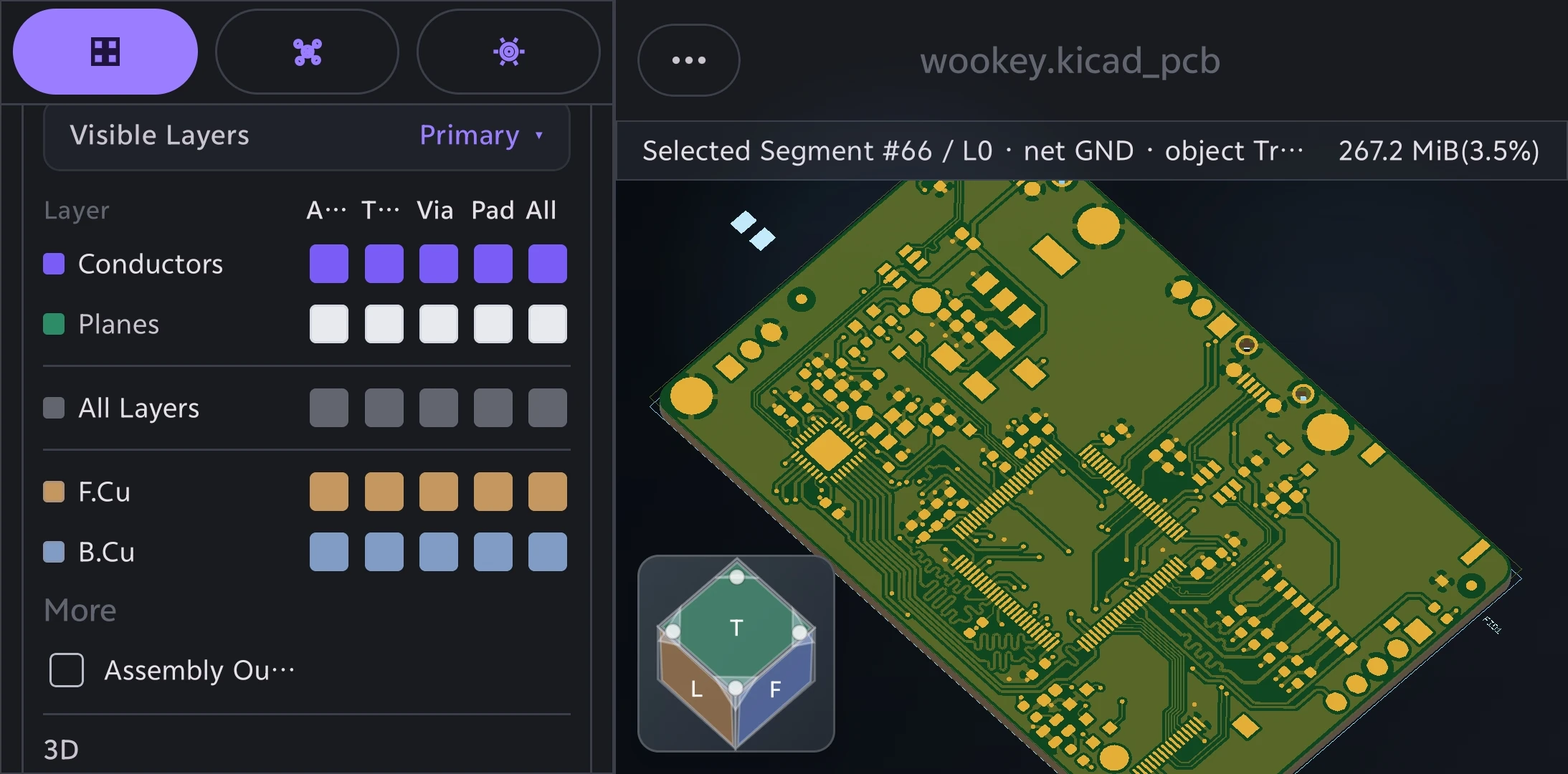
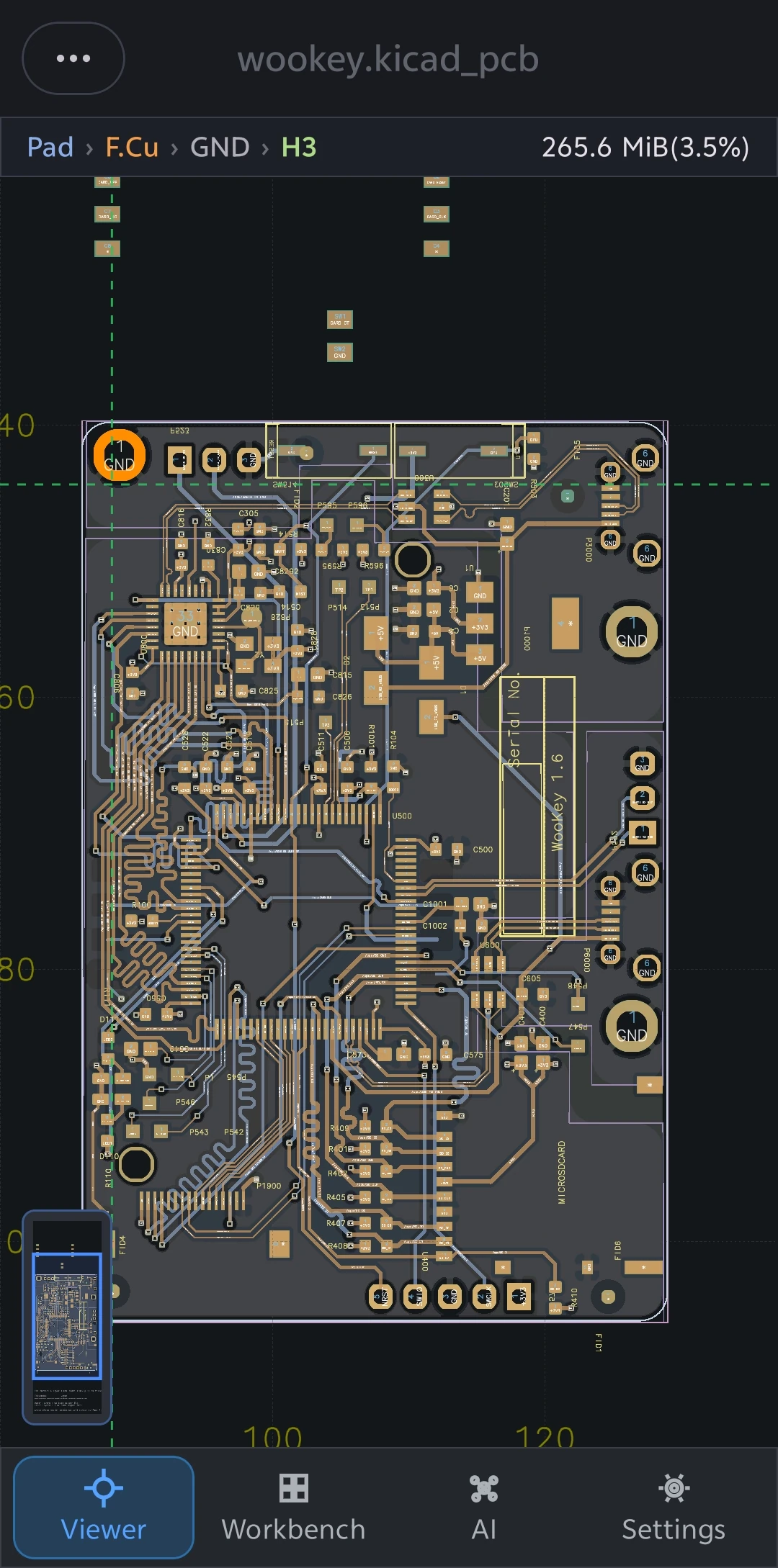
Import .kicad_pcb boards directly or keep .kicad_pro and .kicad_sch files together in a project folder or archive. PCBAtlas stores the imported source in a revision-aware workspace.
Use an Android phone or tablet to pan and zoom, control visible layers, search objects, inspect selection details, and revisit the same board revision at the bench or on site.
Supported projects can expose schematic sheets, source documents, libraries, and settings instead of treating every file as an unrelated drawing.
PCBAtlas is a viewer and review workspace rather than a replacement for desktop KiCad. Use the full KiCad application for complete schematic capture, routing, and layout authoring.
KiCad
PCBAtlas
The Android workflow keeps the same project-aware source model while presenting it through touch-oriented review surfaces.
| Source | How PCBAtlas handles it | What you can review |
|---|---|---|
| .kicad_pro | Import with its related project folder or archive | Project tree, schematic and PCB context, libraries, settings, and revisions where supported |
| .kicad_sch | Open directly or keep it inside a complete project | Sheet navigation, search, locate and highlight, symbols, pins, wires, labels, and details |
| .kicad_pcb | Open directly as a board source | Layers, nets, pads, vias, footprints, object details, 2D, board details, and supported board-level 3D |
| Project folder / archive | Keep related source files together before import | Managed workspace context and later revisions instead of disconnected files |
KiCad viewer for Android
Use the project folder or archive when you want schematic and PCB context to travel together.
Download PCBAtlas from the official Android APK page on this site.
Copy the KiCad file, project folder, or supported archive to the Android device.
Import the source in PCBAtlas and choose a project if more than one is found.
Review the schematic, PCB, project tree, revision data, and supported 3D board view from the workspace.
PCBAtlas
Compare the same format on another platform or move to an adjacent design or manufacturing-data guide.
PCBAtlas
The fastest way to reduce confusion is to say the boundaries and paid unlocks plainly.
Yes. PCBAtlas can open and review supported KiCad .kicad_pro, .kicad_sch, and .kicad_pcb data on Android phones and tablets.
No. PCBAtlas focuses on mobile viewing, inspection, revision organization, and delivery. Full KiCad authoring remains a desktop workflow.
PCBAtlas supports ordinary KiCad project archives and project folders when their structure is recognized, along with standalone board and schematic files.
Yes for normal import and review. The core PCBAtlas viewer path is local-first and does not require sending the board to an online viewer.