Manufacturing estimate / Quick Estimate
Supported platforms
Apple builds: macOS 14+, iOS / iPadOS 17+. Screenshots in this page are from macOS. Narrow-shell screenshots show window layout, not an iPhone device.
Intended audience
Users who need to record manufacturing assumptions during review.
Prerequisites
Open a board document and choose Estimate from the floating toolbar or More.
Steps
- Read the status of the Revision Quote / Quick Estimate card.
- Check layer count, board size, and Detected Source. Distinguish actually detected values from assumed values.
- Review Assumptions, quantity, process, price breakdown, and lead time.
- Click Edit Inputs to change inputs that need confirmation.
- To keep this estimate’s context, use Archive Quote JSON + Text.
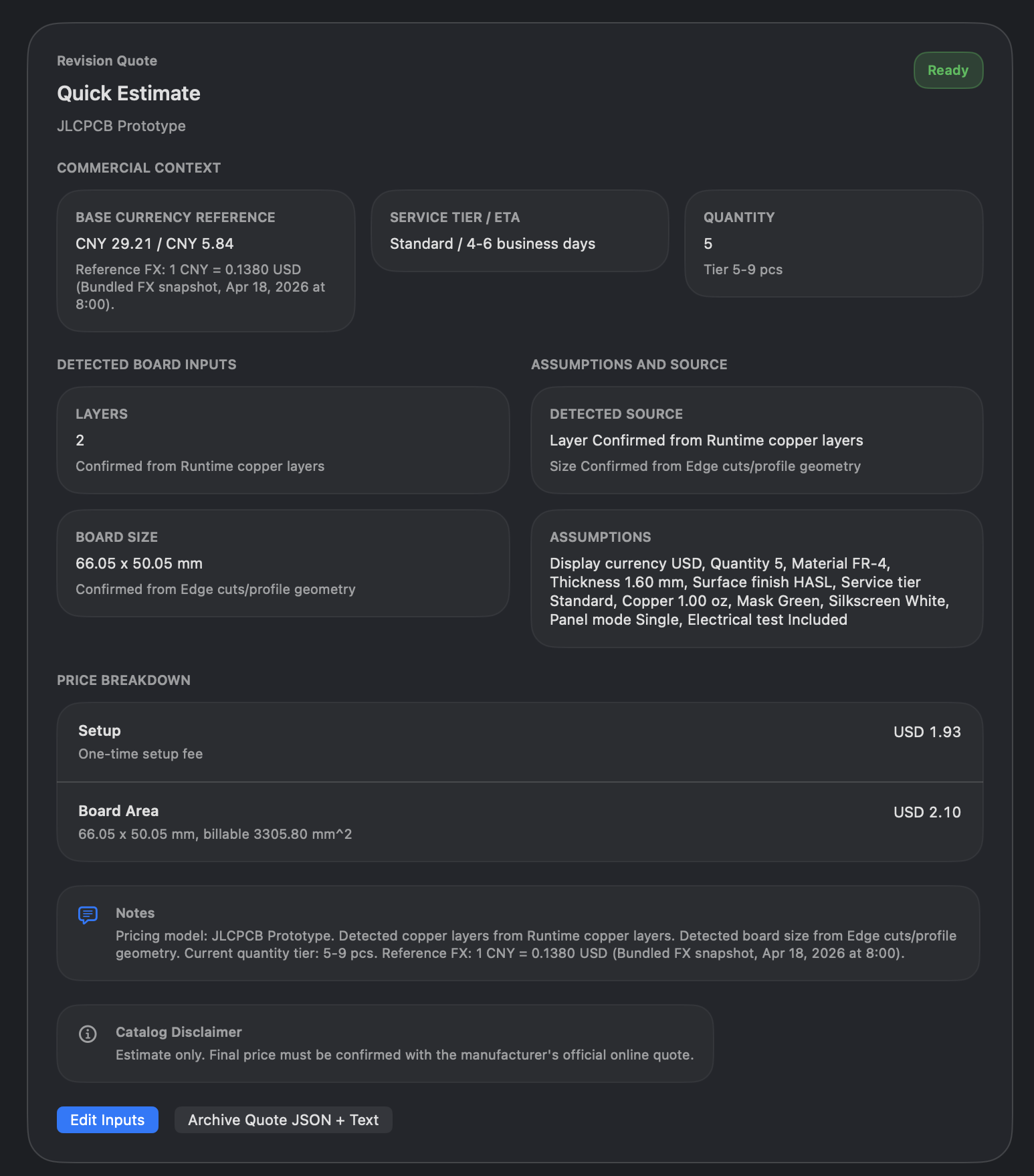
Estimate shows quotes for the current revision, on the right in wide layouts and above the canvas in narrow layouts; click its button again to collapse it. Board, document, revision, and diagnostic information is in Info. The Data label in historical screenshots is not the current entry point.
This feature uses a local catalog and rules and shows an estimate. Prices in the screenshot belong only to that sample and those inputs. They are not live vendor prices, final lead times, or a purchasing commitment.
Result
You can explain the inputs used by the estimate and save an estimate record when needed.
FAQ
What if the numbers are clearly wrong?
Confirm the current revision, board size, and copper layer count first, then check quantity and process assumptions. Do not only edit the quoted result.
Does archiving place an order with a fabricator?
No. Archiving saves estimate context; it does not submit an order.
Last verified
2026-09-11: hands-on inspection of the Data card and entries; this pass did not submit input changes or an archive.
2026-10-13: instructions and translations checked against current source; historical screenshots retain their capture dates. This documentation review is not new physical-device or store-purchase acceptance.