Permissions and file access
Supported platforms and audience
Apple-build users; use this page to debug file picking, export, and photo-save failures.
Prerequisites
Know the failing step, the source or destination directory, and whether a system prompt appeared.
Steps
- Confirm the input is downloaded, locally readable, and that the project directory includes required dependencies.
- Re-select the source through the app’s system file picker. Do not only type a path the app has no permission to access.
- For macOS export, choose a writable directory in Save To. Even if the configuration page already shows a default path, the first write can still present a system save panel.
- On iOS / iPadOS, distinguish PNG → Photos from Other Apps sharing for other files. Photo-add permission is not the same as file-directory permission.
- On failure, record the original error and try another location that is clearly writable.
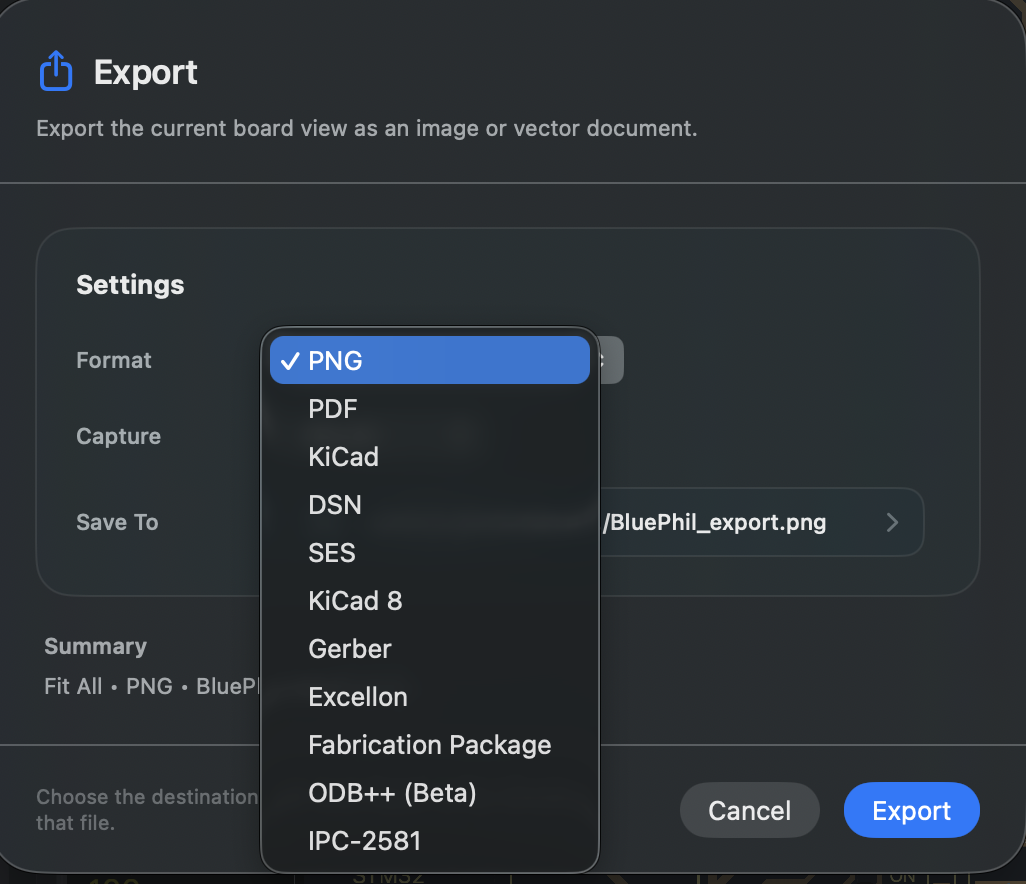
The wide shell and narrow shell use the same macOS file-delivery method. Do not mistake the narrow shell for iOS and look for a Photos destination.
Result
You can distinguish a permission problem, an intentional cancel, and an actual export failure.
FAQ
The default path is already shown. Why do I still have to choose a directory?
A suggested path is not the same as the system already granting write permission. Continue after choosing a location in the save panel.
Does cancelling the save panel mean something is broken?
No. Cancel means that file delivery was not completed. You can choose again after returning.
Last verified
2026-09-11: actually chose a directory through the macOS save panel and completed PNG export. iOS routing was checked in source and not retested on device.