Library and revisions
Android: Gallery no longer has an Empty Project button. Check for Updates on the right shows available updates and opens the download destination.
Supported platforms
Apple builds: macOS 14+, iOS / iPadOS 17+. Screenshots in this page are from macOS. Narrow-shell screenshots show window layout, not an iPhone device.
Intended audience
Users who need to manage multiple versions of the same design.
Prerequisites
The library contains at least one document.
Steps
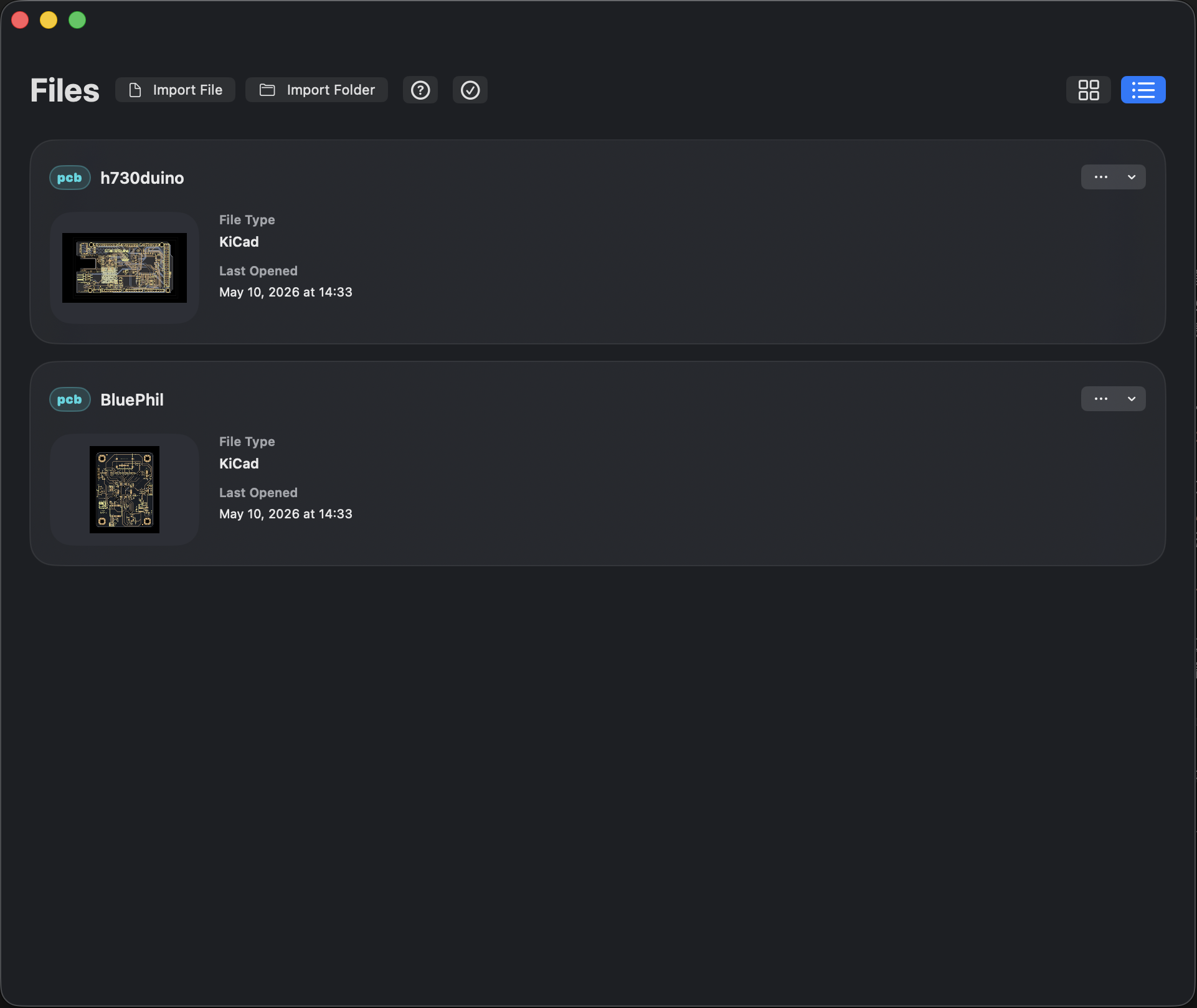
- Use the upper-right button to choose grid or list layout. Narrow windows support both layouts; list is usually easier for continuous browsing.
- Click … on a card or list row to open Document Actions. The menu shows actions available for the current document: append a design revision, rename, duplicate, Information, Share, Pin, Remove, and similar items. The manufacturing-revision entry depends on document context.
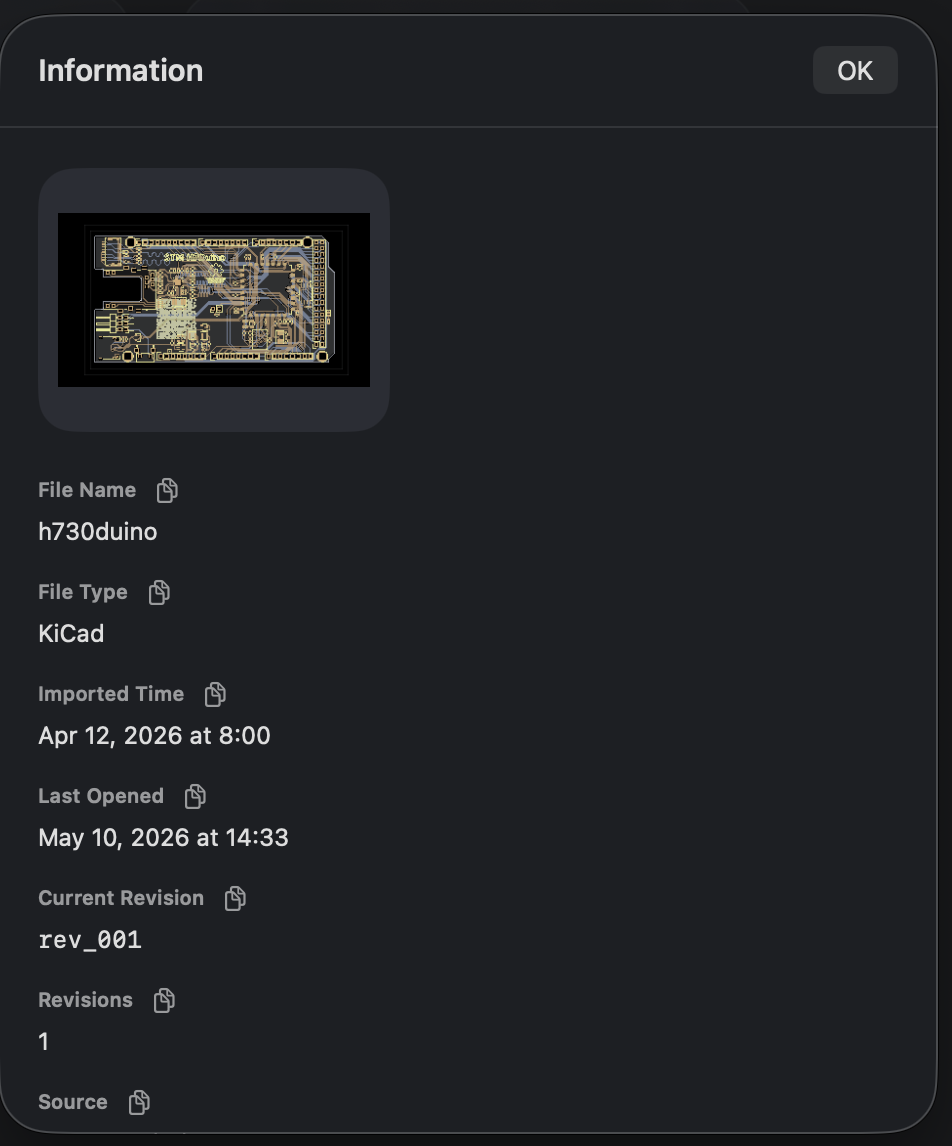
- Choose Information to read type, import time, last-opened time, and revisions. The copy button beside a field copies that value.
- To keep the next version, use Add Design Revision and pick a source as prompted. Use revision labels to switch the current version.
- When at least two applicable revisions exist, you can use Compare Revisions…. See Revision comparison.
A document is the project entry in the library; a revision is one version of its content; the current revision decides which version opens next. Duplicating a document is for an independent experiment copy; appending a revision is for maintaining the evolution of the same project.
Where are project files stored?
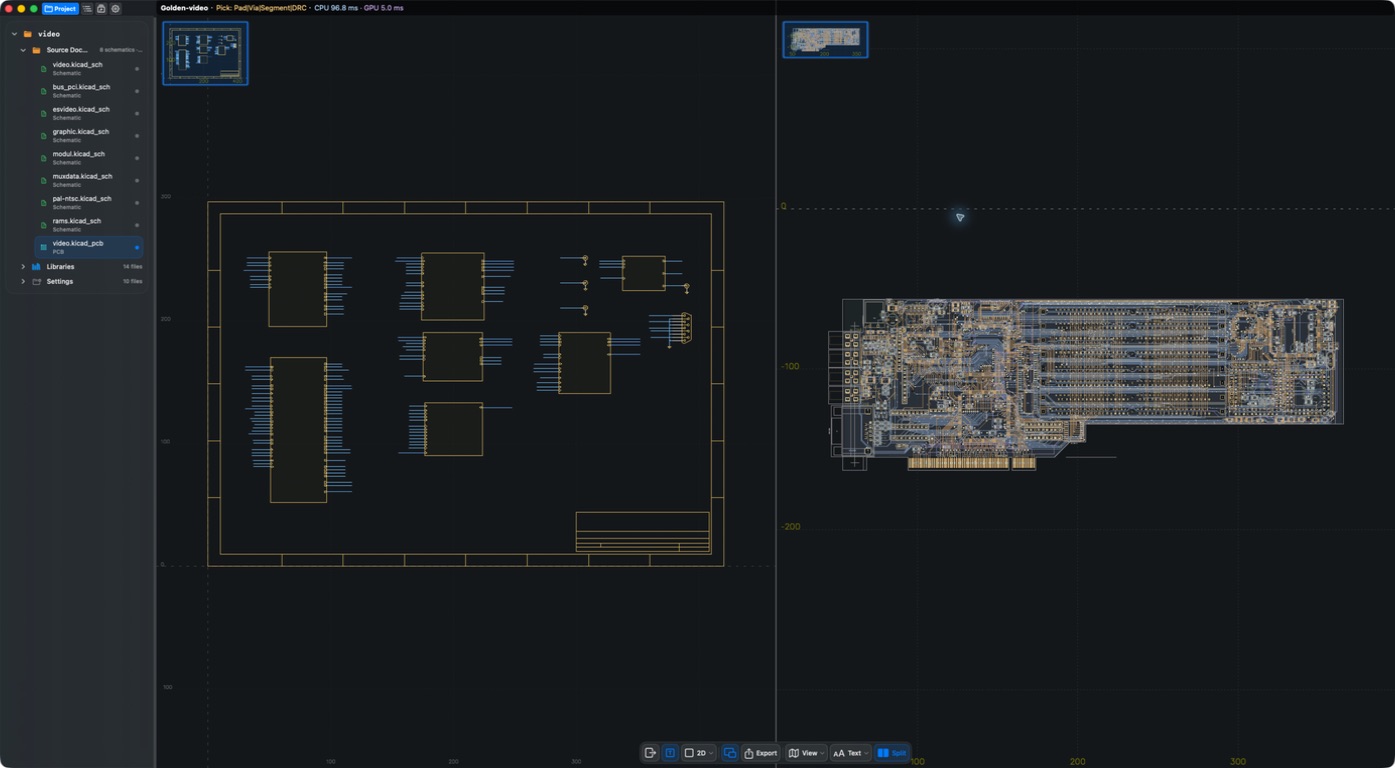
Open the project tree through toolbar Project, or More when an object is selected. Files are grouped under Source Documents / Libraries / Settings. Choose a schematic to switch sheets or a PCB to switch board context. The panel appears on the right in wide layouts and above the canvas in narrow layouts.
Result
You can find the current revision and choose whether to append a revision, duplicate independently, or compare.
FAQ
Is Remove appropriate for cleaning test data?
Confirm whether the document and revisions still need to be kept, and read the app’s delete confirmation. Do not empty the library to fix display or permission problems.
How do Share and Export differ?
Share sends document materials from the library. Export generates or delivers output in the workspace for the chosen format. Do not treat them as the same action.
Last verified
2026-09-11: hands-on on the macOS 1.1.2 local build; other platforms were not retested on device in this pass.
2026-10-13: instructions and translations checked against current source; historical screenshots retain their capture dates. This documentation review is not new physical-device or store-purchase acceptance.